# How Zalando built its own AI prototyping environment on top of its design system
> How the Zalando Design System team built an AI prototyping tool with Claude Code skills, the Figma MCP and design.md guidelines. 98 PRs from 20+ designers.
By Sil Bormüller. Published 2026-10-31, updated 2026-10-31. Source: https://www.intodesignsystems.com/blog/zalando-design-system-ai-prototyping-tool
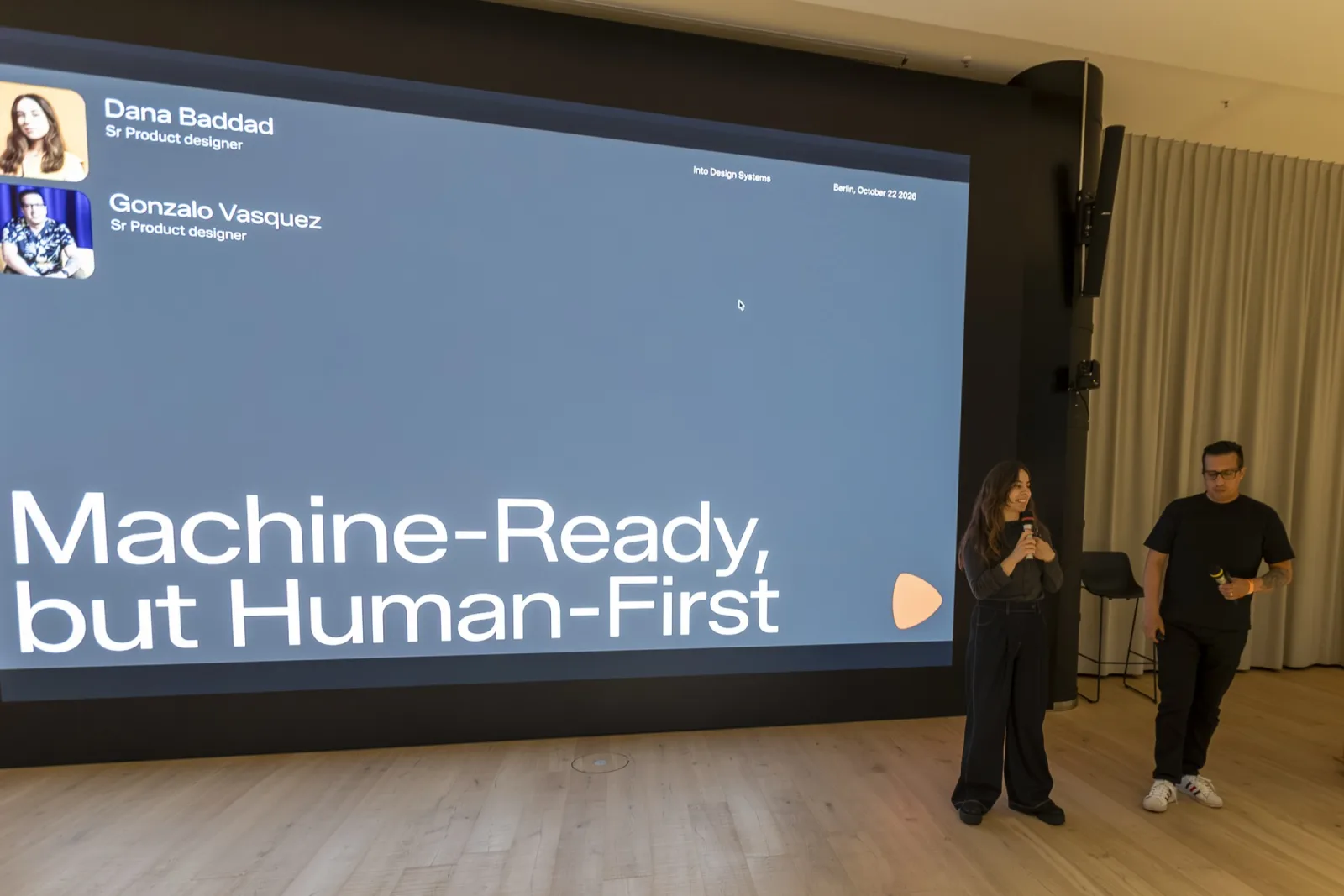
On October 22 we ran our [Into Design Systems meetup at Zalando in Berlin](https://luma.com/ids-zalando). 200 designers came to the Zalando office to learn how design system teams work with AI.
Two teams showed what they built: the [Zalando](https://en.zalando.de/) Design System (ZDS) team and the Netflix team behind Hawkins Professional. This post covers the first session from the ZDS team.
[Dana Baddad](https://www.linkedin.com/in/danakhb/) (Senior Product Designer at [Zalando](https://en.zalando.de/)) and [Gonzalo Vásquez Correa](https://www.linkedin.com/in/gonzalovc/) (Senior Product Designer, AI enabler and builder on the Design Systems ZDS team at [Zalando](https://en.zalando.de/)) called their talk "Machine-Ready, but Human-First". They showed the **ZDS Capsule**: an AI prototyping tool built with [Claude Code](https://claude.com/product/claude-code) that turns a Figma design or a prompt into a working Zalando prototype with real product data.
## TL;DR
- The Zalando Design System team built its own **AI prototyping environment** called the ZDS Capsule because [Figma Make](https://www.figma.com/make/) did not produce on-brand results
- Five foundations made the design system **AI-ready**: agnostic design tokens, Figma Code Connect, documentation for humans and AI, small **design.md** files and human enablement
- A **Claude Code skill** called `build-prototype` runs agents in parallel and uses the **Figma MCP** to rebuild a Figma design as a working prototype
- Skills are probabilistic so the team makes them **run scripts** at the critical steps
- The biggest enablement failure happened **before the workshops started**: access requests, VPN, terminal and Git
- More than **20 designers** contribute to the Capsule and the team had merged **98 PRs** at the time of the talk
- An engineer's feedback on AI-generated motion specs was a reality check: **AI makes exploration easy but not collaboration**
## Who builds the Zalando Design System?
Dana and Gonzalo work in the ZDS team together with their head, two more designers and a PM. The team works closely with more than 10 engineers. Their goal is to support more than 200 designers and 500 engineers at [Zalando](https://en.zalando.de/).
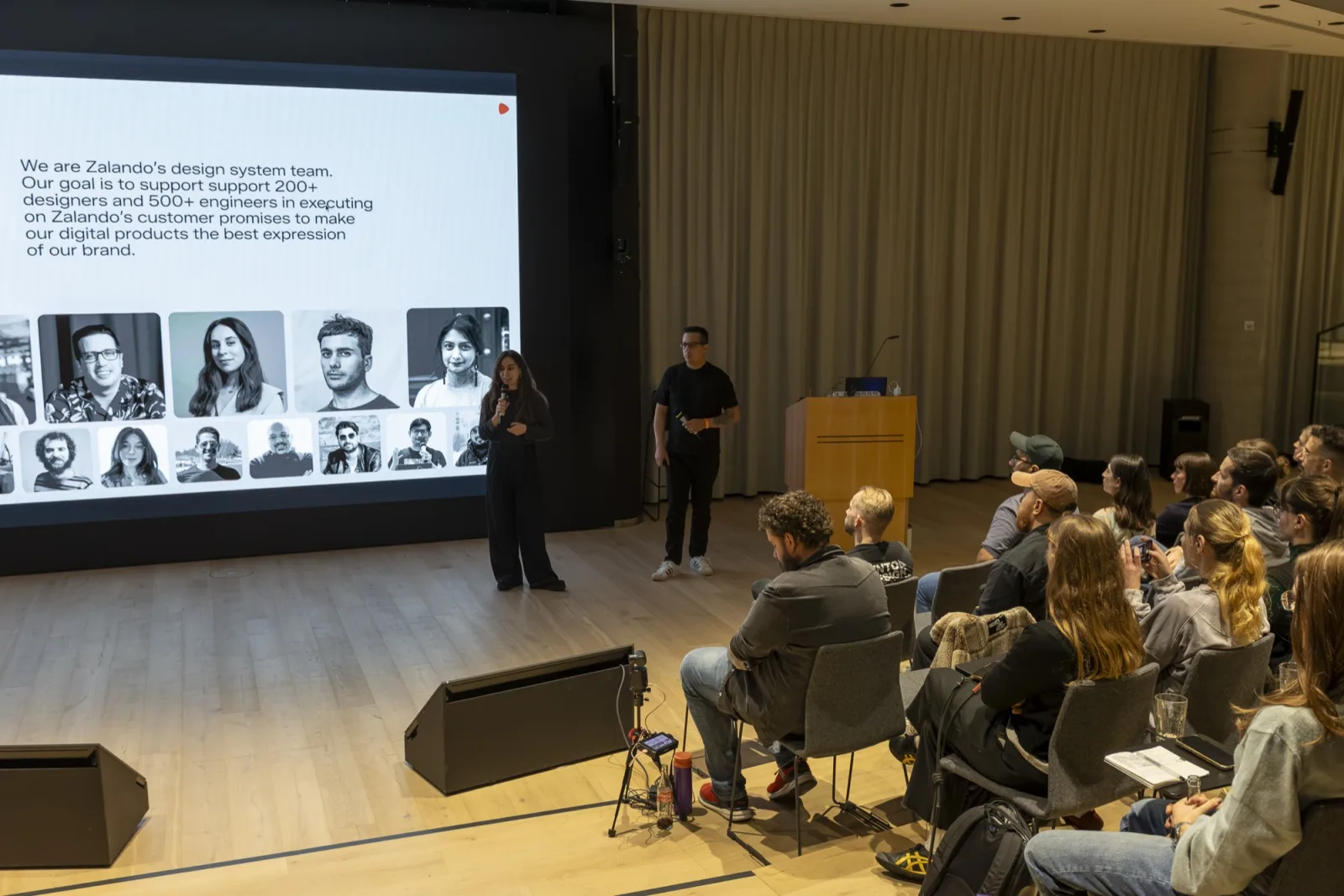
Over time the team went from maintaining UI libraries to owning a set of tools that run without help from engineering:
- **Figma plugins:** one pulls real product data into components. Others sync tokens and generate component specs and documentation
- **A migration skill:** it moves designers from deprecated components to the latest version in Figma
- **A Chrome extension:** it edits design tokens live on zalando.de so the team can make design decisions in production
## Why did Zalando build its own AI prototyping environment?
What the team still missed was prototyping that produced reliable results. Their slide said it plainly: "Figma Make didn't make it." No matter how much they improved prompts or cleaned up layers the results were not on brand. So they built their own tool on top of the Zalando Design System. It is called the ZDS Capsule.
## How do you make a design system AI-ready?
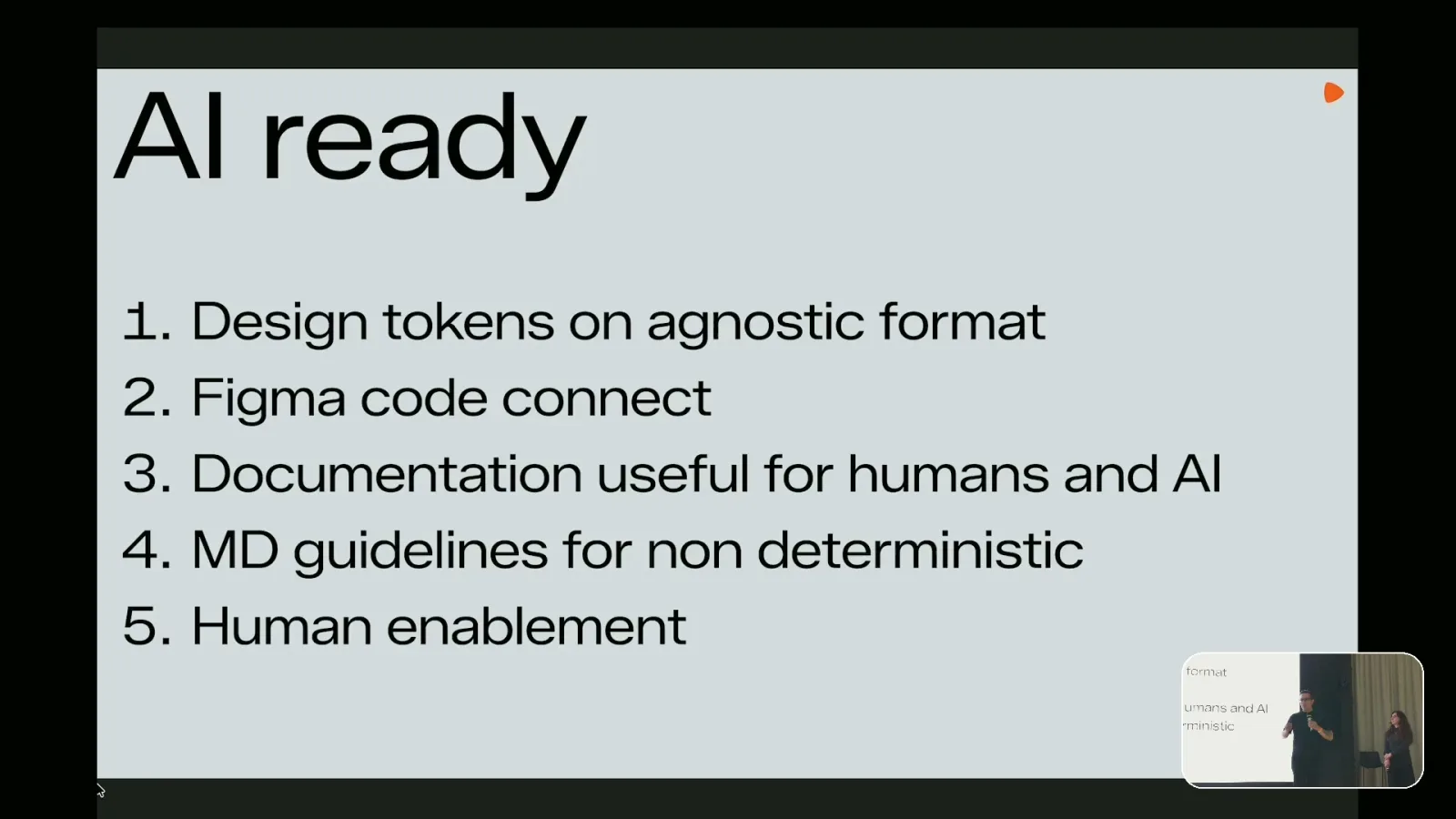
Before the Capsule could work the team had to reshape its foundations. Gonzalo listed five:
1. **Design tokens in an agnostic format:** the tokens live in their own repo outside of Figma. Agents can read them and debug against them and pull updates when they need them
2. **[Figma Code Connect](https://help.figma.com/hc/en-us/articles/23920389749655-Code-Connect):** agents pick the right code component from the repo based on a Figma design. That way they write code with real components and save tokens
3. **Documentation for humans and AI:** the original guidelines were visual and full of examples. That works for people but not for agents
4. **Markdown guidelines:** the team translated the guidelines into individual design.md files
5. **Human enablement:** documentation alone does not get people to use any of this
## How should you write design.md guidelines for AI agents?
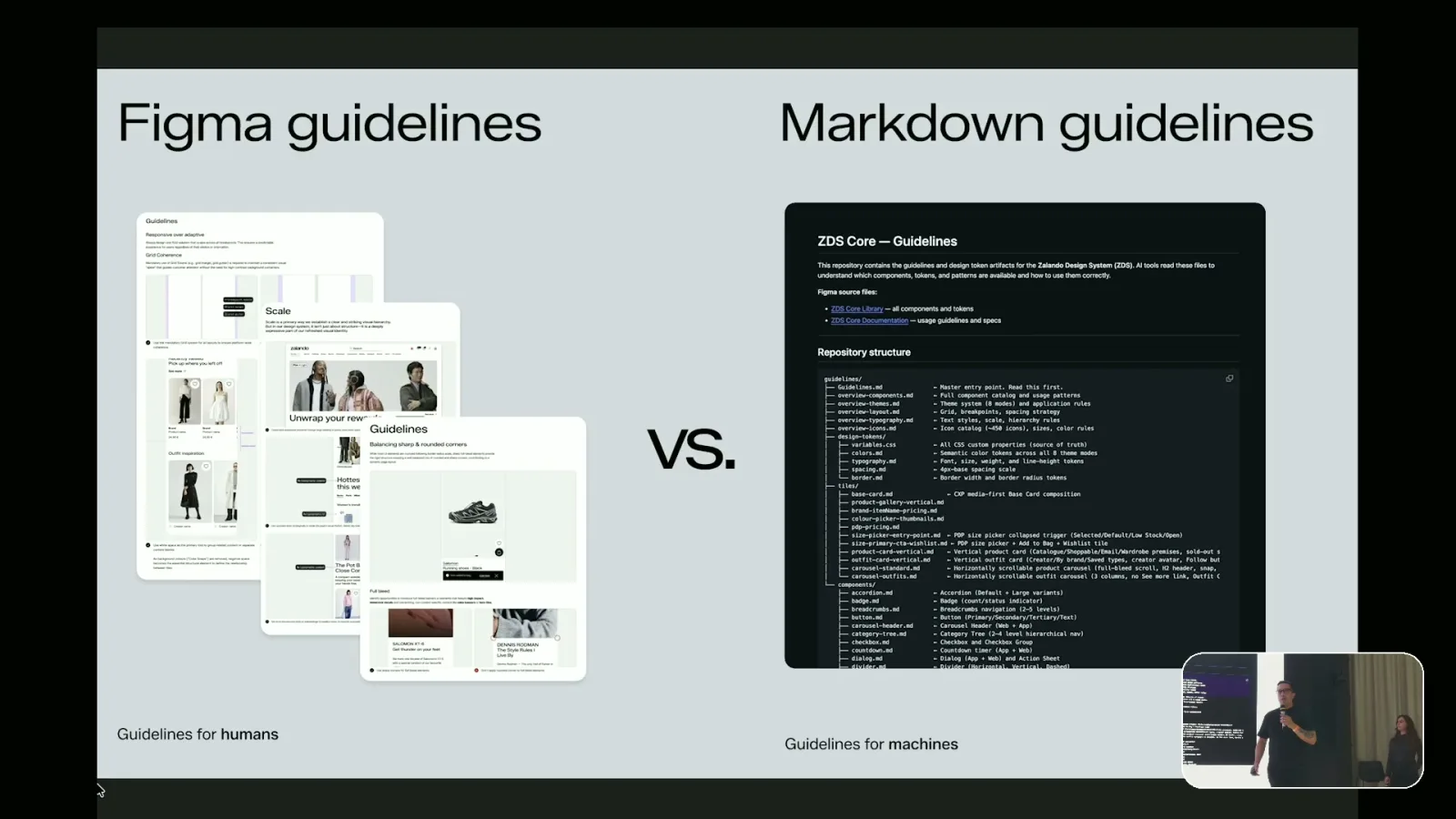
Split guidelines into many small markdown files instead of one big file. Context windows are limited so an agent reads an index and pulls only the file it needs. Keep only guidance and usage in the files. Whatever is already defined in the code stays out so the information is not duplicated.
## What did the first AI prototyping workshops show?
The team ran around five hybrid workshops where designers built quick prototypes with Claude Code using only the markdown guidelines. The results surprised them but they also showed clear problems:
- **Brand color:** the AI used Zalando orange everywhere to highlight elements
- **Typography:** text sometimes came out in all caps
- **Tone of voice:** it was off because there were no tone of voice guidelines yet
The team iterated on the guidelines several times and added guardrails until the results got better. One of the results on their slide was a Twitter clone built from a single prompt with the guidelines.
## How does the ZDS Capsule build a prototype with Claude Code?
Gonzalo ran a live demo in VS Code with Claude Code. The Capsule can build a prototype from a Figma design or from a free prompt or from a mix of both.
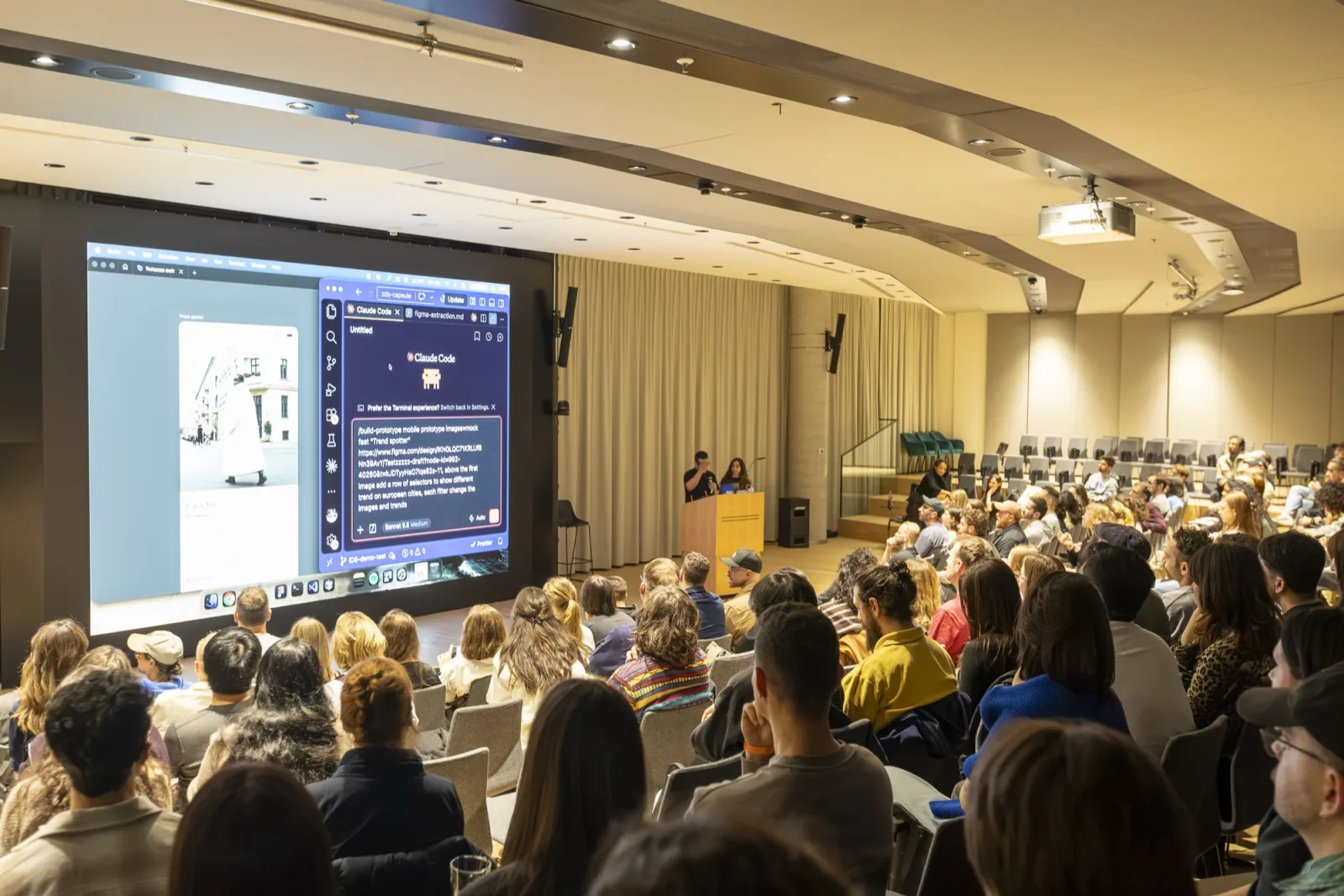
His prompt ran a Claude Code skill called `build-prototype` for a mobile "Trend spotter" feature. It passed a Figma URL and asked for a row of selector components that switch trends between European cities.
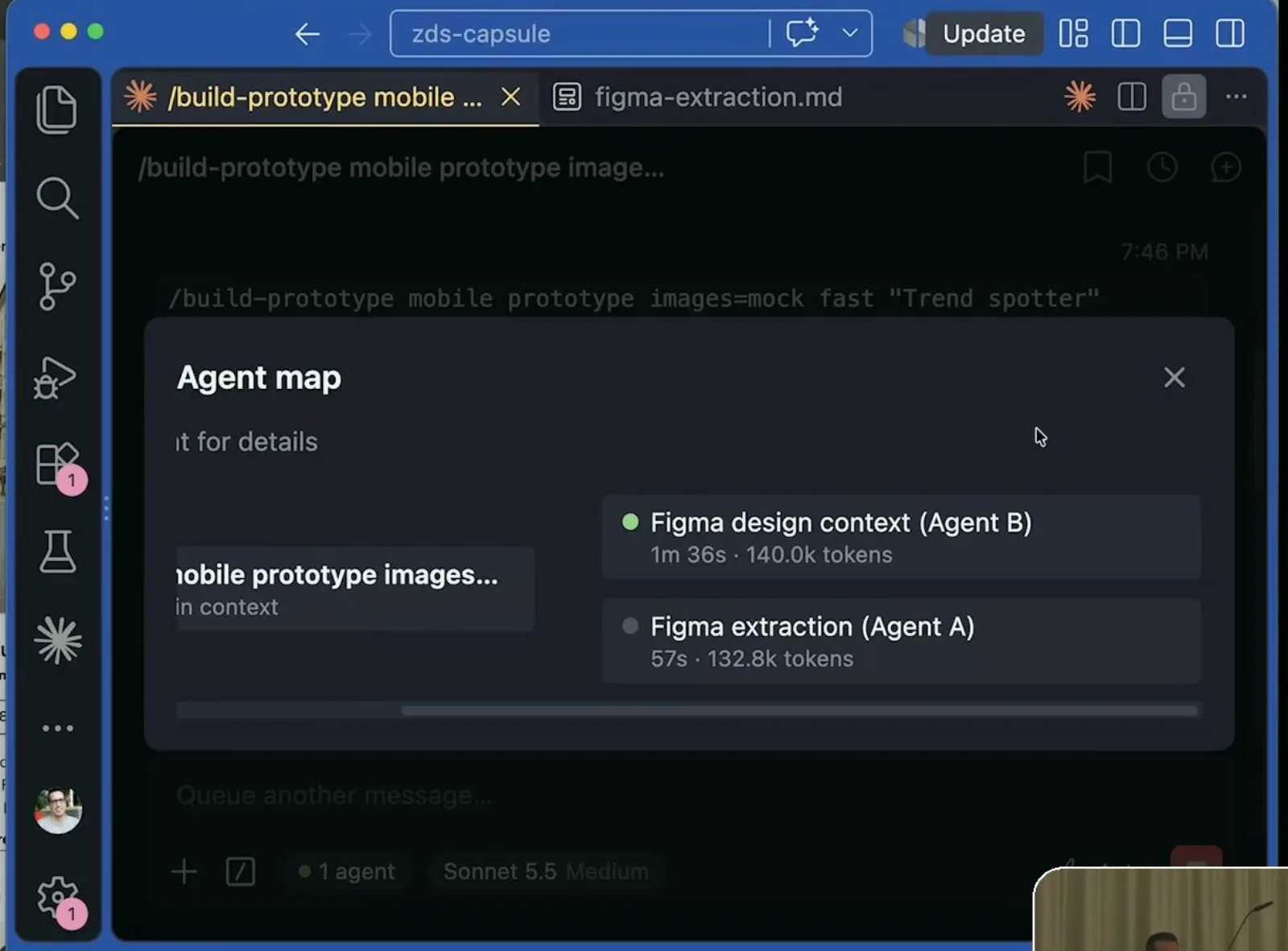
The skill starts agents in parallel. One gets the design context from Figma through the [Figma MCP](https://help.figma.com/hc/en-us/articles/32132100833559-Guide-to-the-Figma-MCP-server). The other extracts the Figma design into a JSON file that the next step uses to build the prototype. Normally a third agent runs as well. For the demo they switched it off to save time.
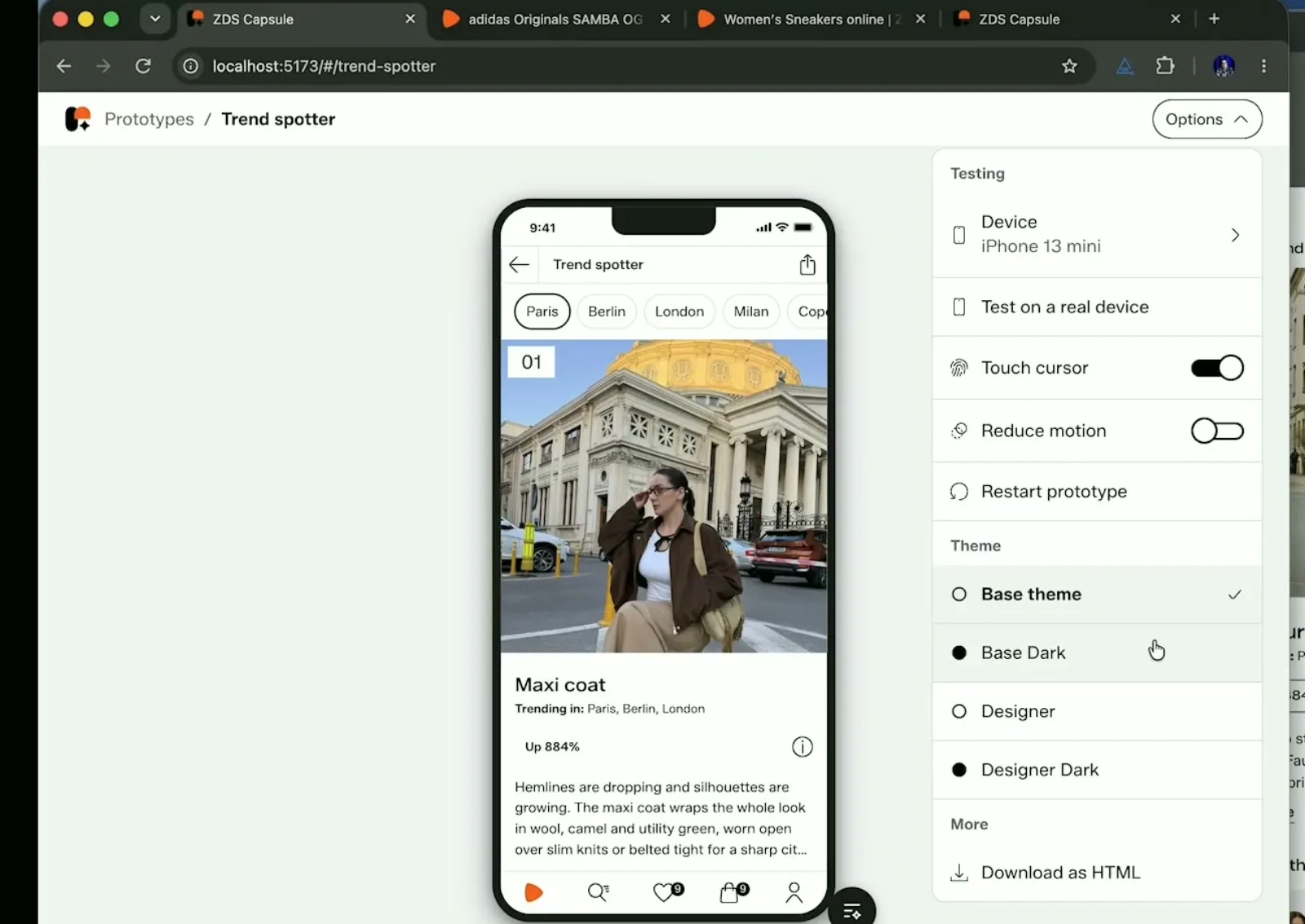
The finished prototype rebuilt the Figma design and added the city filters for Paris, Berlin, London, Milan and more.
## What can the ZDS Capsule do?
- **Real Zalando data:** paste a product URL from zalando.de and the prototype pulls in the image, product name, price and brand. Paste a catalog URL and a carousel fills with products including discounts
- **Templates:** they mirror production pages like the product detail page with size selection and checkout
- **Theming:** switch between the base theme and dark mode
- **Testing:** reduce motion, test on a real device or simulate other devices
- **Export:** download the prototype as HTML
## Why should Claude Code skills run scripts?
Skills give you different results from run to run because the agent reads them and makes its own decisions. Gonzalo's fix is to have the skill execute a script at the right moment instead of describing the task. That makes the result more deterministic.
Their scripts structure Figma designs, scan Figma icons and generate prototype metadata and thumbnails. Icons were a good example. Figma screenshots make an agent guess what an icon is and redraw it as SVG. A script that returns the icon name and where it is used gives the agent the real answer.
## What is the biggest problem when you roll out AI tools to designers?
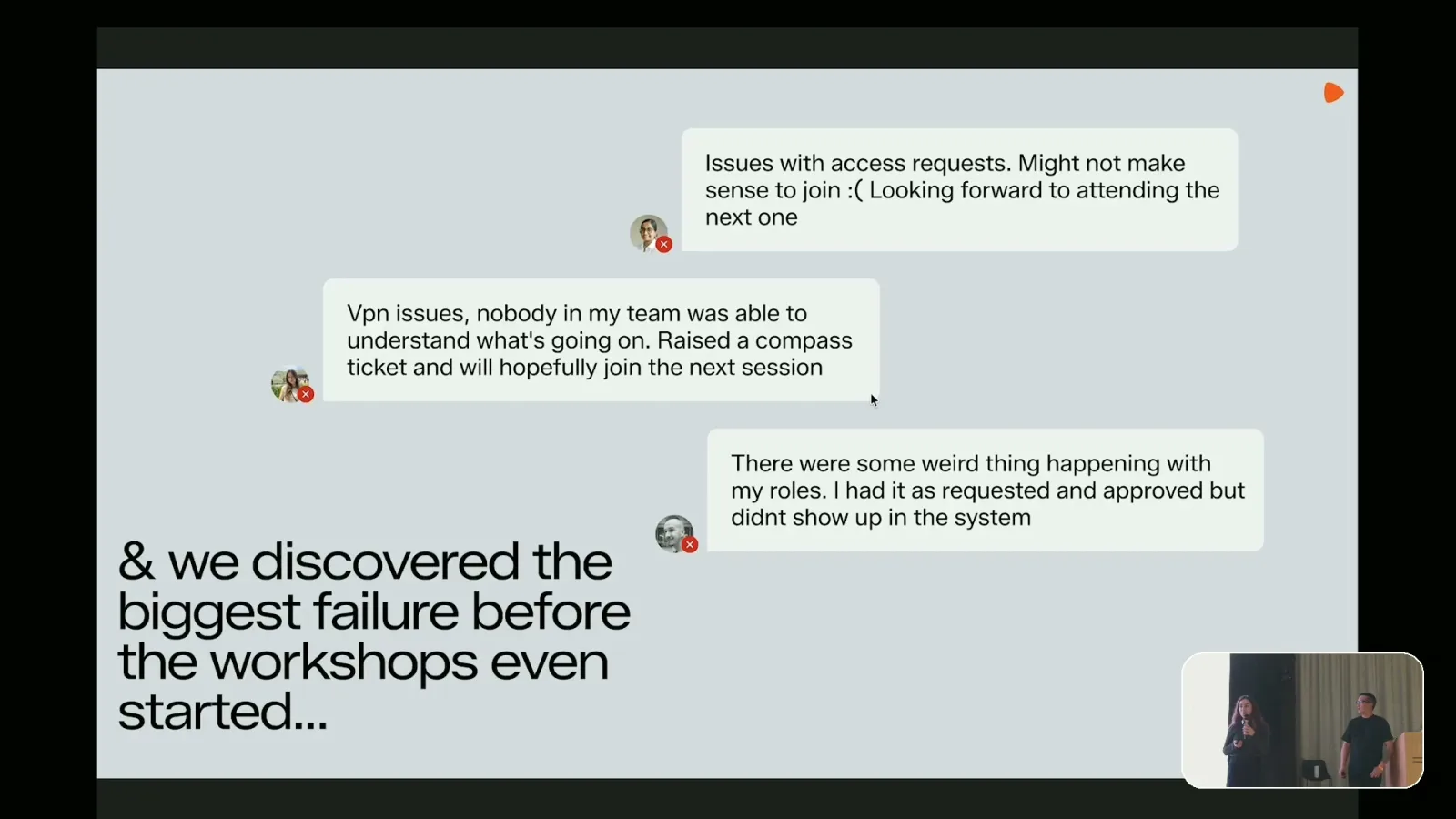
Dana took over for the enablement part. Many workshop participants never made it to the prototyping part. They got stuck on access requests and VPN issues while navigating the IT infrastructure at [Zalando](https://en.zalando.de/).
Most of the workshop time went to things that had nothing to do with prototyping: terminal commands, Finder shortcuts like showing hidden folders, VS Code tutorials, Git logic, how PRs work and how to use Claude Code skills.
Their fix was **support slots for small groups**. Everyone got set up at their own pace before the actual prototyping session. They also changed the documentation. It now has screenshots of the technical parts like what a design.md file or a skill looks like and uses a monospace font for commands. It is collaborative so anyone who finds a missing step can add it.
## How many designers contribute to the ZDS Capsule?
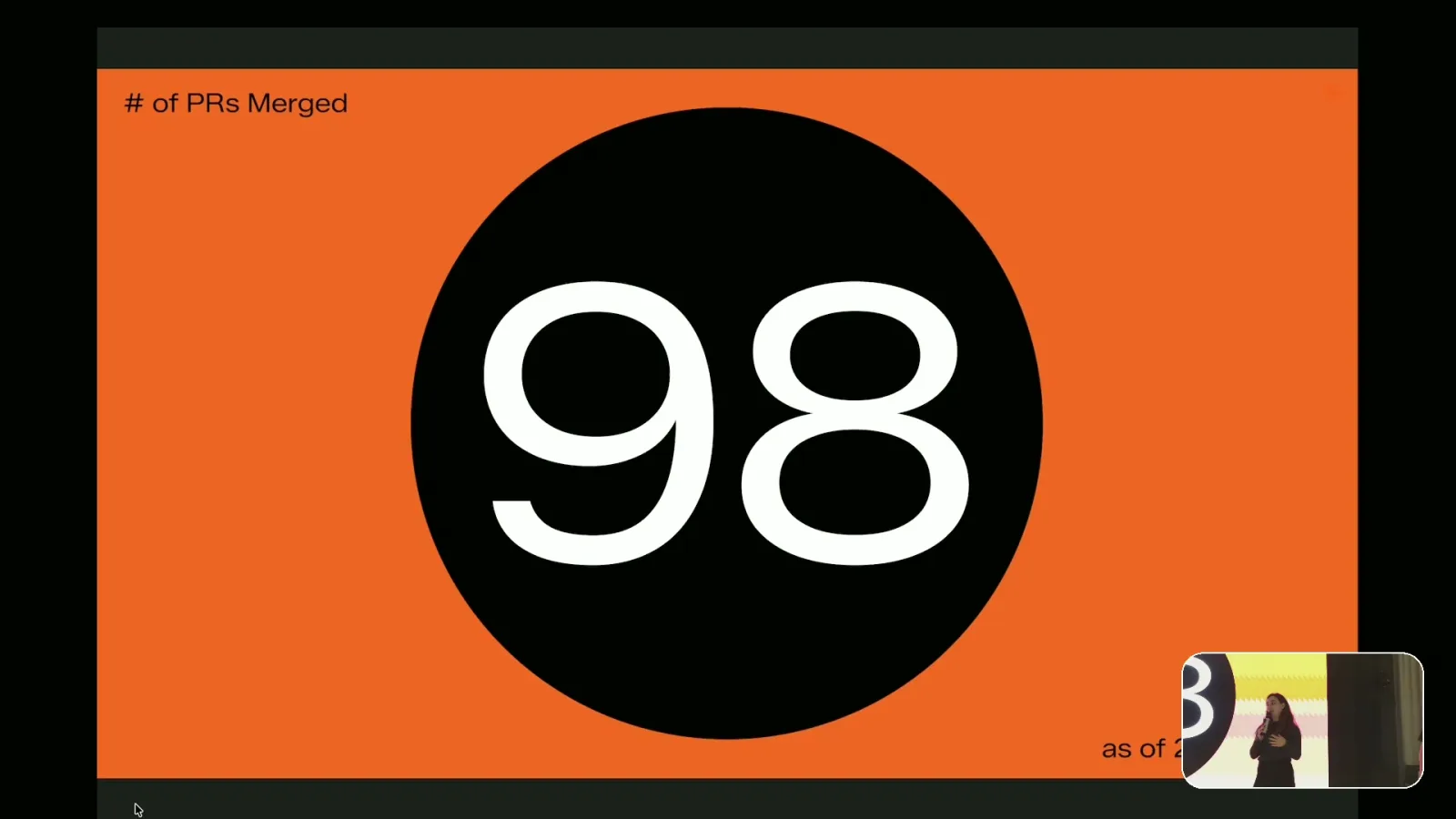
At the time of the talk more than 20 designers were pushing PRs to the Capsule and the team had merged 98 of them. They range from new prototypes and templates to design elements and UI improvements to the tool itself.
## Do AI-generated specs help engineers?
Dana showed a project for a kids shopping experience. When users add an item to their wishlist a burst of stickers covers the screen. There were 11 sticker designs and a random number should land each time.
The Figma prototype could not show the randomness or how the overlay was triggered and dismissed on scroll. With the Capsule and the product detail page template the team built it in a few prompts. It showed random stickers that varied in position, scale and rotation plus the reduced motion version and dark mode. The concept got approved.
Then they asked Claude to write the motion specs for engineering. This is the feedback an engineer gave them:
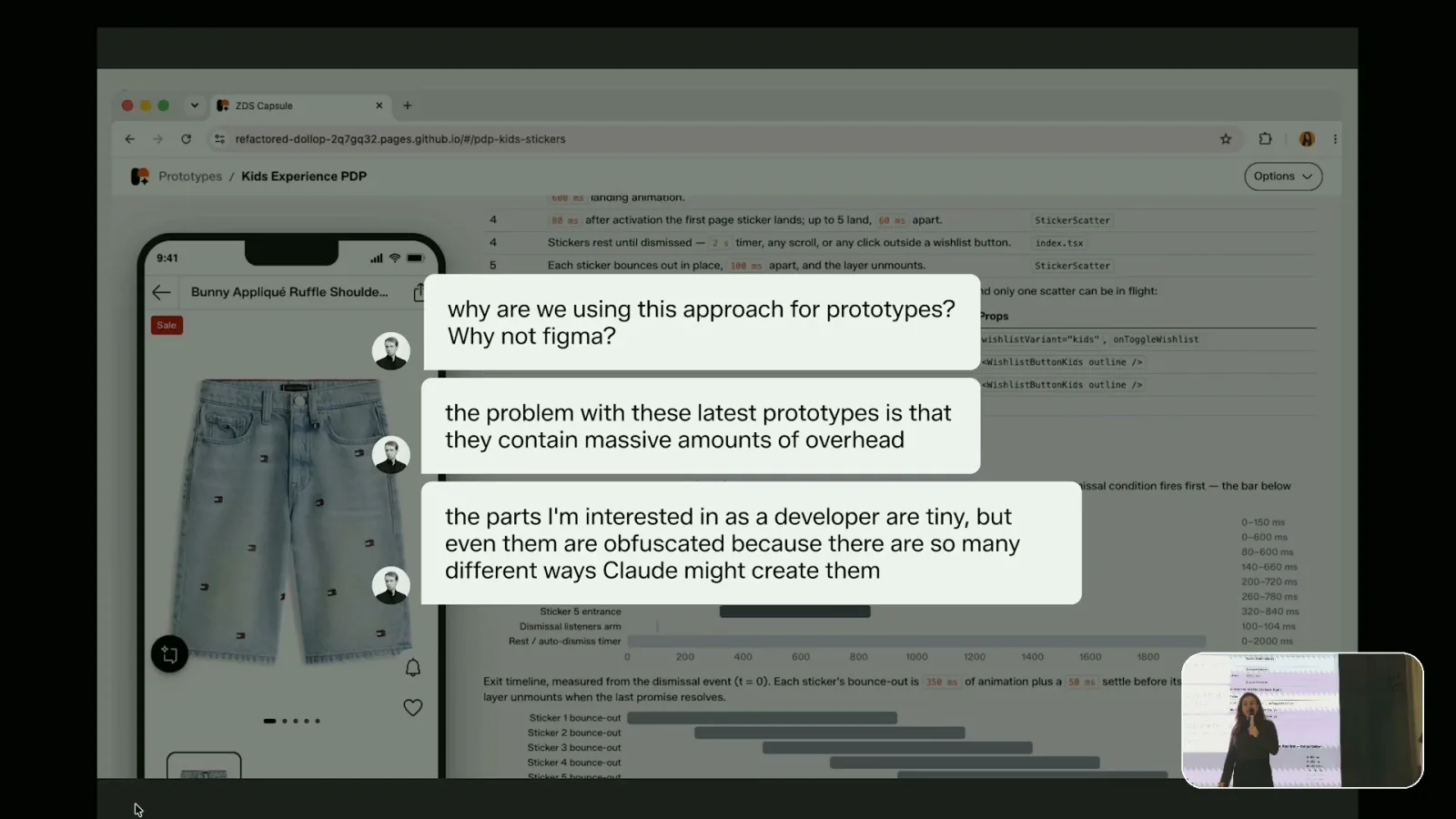
> "Why are we using this approach for prototypes? Why not Figma?"
> "The parts I'm interested in as a developer are tiny, but even them are obfuscated because there are so many different ways Claude might create them."
Dana called it a useful reality check. Prototyping got faster but implementation could take two or three times as long. That delays the feature for users. AI makes exploration easy but it does not automatically make collaboration easy. A spec that leaves no ambiguity also leaves no room for the designer and the engineer to discuss intent and make decisions together.
## Just because you can build it does it mean you should?
As the Capsule grew more people wanted to use it for everything. Dana listed the ideas they hear regularly: user testing, rebuilding the site map, automating the whole design process, letting PMs prototype, engineering handoff and pixel perfect results from the start.
The team uses a quote from Jina Anne as their compass for deciding what to build next:
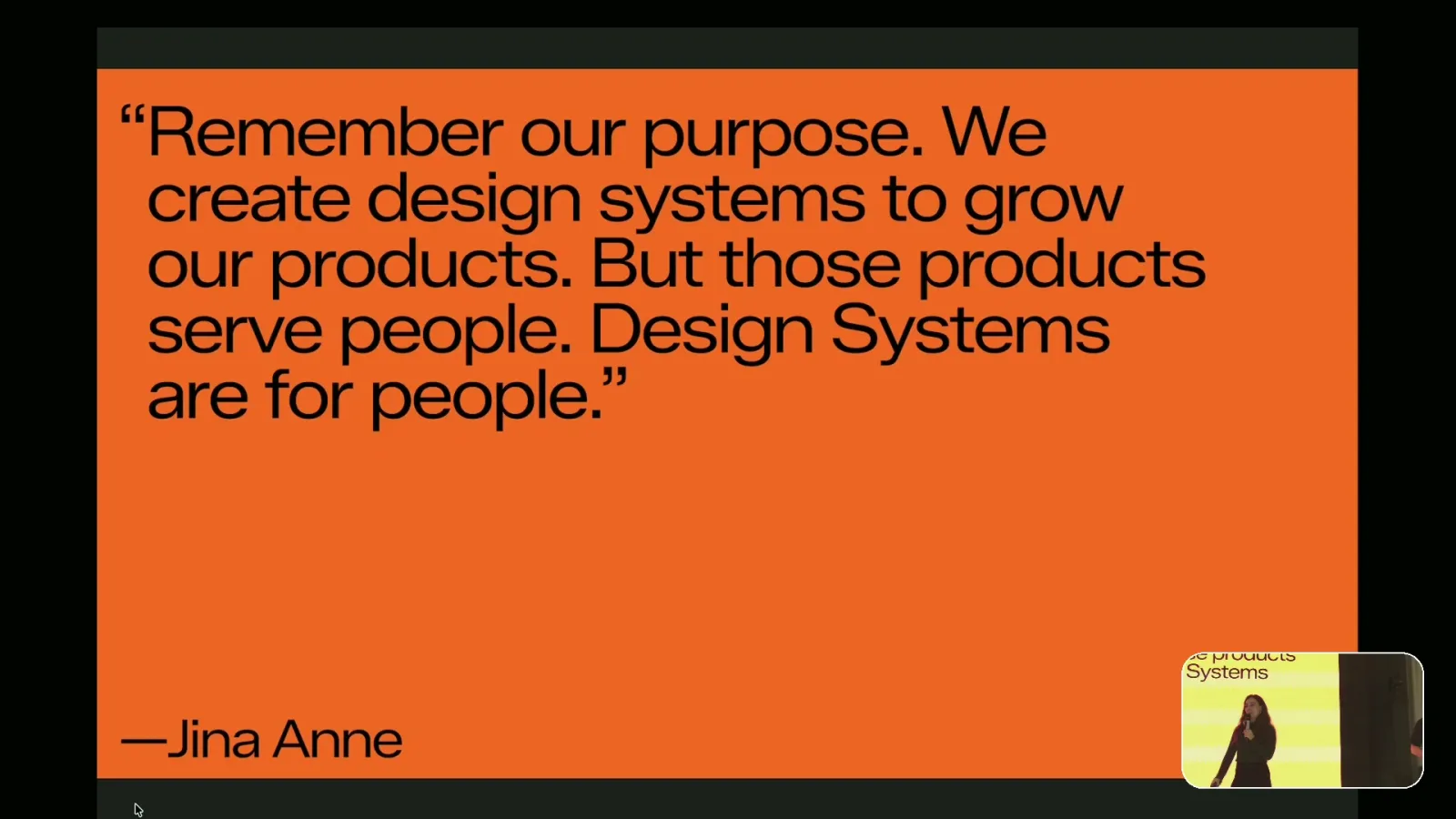
> "Remember our purpose. We create design systems to grow our products. But those products serve people. Design Systems are for people."
The team is now working on making the Capsule an official app within [Zalando](https://en.zalando.de/) and supporting more user testing cases.
## The three takeaways from the Zalando Design System team
1. Build your own tools to enable experimentation and go beyond existing limitations
2. Aim high and do it in a way that fosters conversation and collaboration
3. Always put the user's experience at the center
## From the Q&A
- **How they made the skill faster:** the first version of `build-prototype` took too long. Gonzalo said nobody wants to wait 30 minutes for a first result. Workshop participants asked why they should install all of this if the results were not good
- **Smaller JSON files:** at first the Figma extraction JSON was so big that it filled the context before the prototype was built. Now the skill writes a short summary JSON and keeps a full JSON only for cases where the agent needs more detail
- **Parallel agents:** the build started with one agent. Running three agents in parallel saved a lot of time
- **Break your own tool:** Gonzalo passes in Figma designs he did not create to see where the tool fails. Then he uses the tool itself to find out why
- **Document how the tool works:** the Capsule has a folder of markdown files that explain each feature. Without it you forget how the whole thing works once you keep adding features
- **Handoff to engineering:** they don't have an answer yet. The Capsule started as a prototyping tool and was never meant for production. If it becomes the way the team hands off work it needs to change for engineers
- **Where it goes next:** there are plans for an agnostic tool where people prototype directly without installing Claude Code or creating PRs. It could serve other design systems at Zalando as well
## What I'm taking back to my own work
These are my own takeaways and not Dana's and Gonzalo's:
1. Split design guidelines into small markdown files with an index instead of one large file
2. When a skill gives inconsistent results move the critical step into a script the skill runs
3. Plan setup support slots before an AI workshop and not during it
4. Ask engineering what they need from a prototype before generating specs for them
How other teams make their design systems ready for AI agents: [Miro with MCP and Claude Code skills](/blog/miro-ai-design-system-mcp-claude-code-skills), [Spotify with Encore](/blog/how-spotify-design-system-ai-ready) and [how to measure if AI agents use your design system](/blog/measure-design-system-ai-readiness).
Thank you to [Dana Baddad](https://www.linkedin.com/in/danakhb/) and [Gonzalo Vásquez Correa](https://www.linkedin.com/in/gonzalovc/) for the session and to [Zalando](https://en.zalando.de/) for hosting the Into Design Systems community in Berlin.
## Frequently asked questions
### What is the ZDS Capsule?
The ZDS Capsule is an AI prototyping tool the Zalando Design System team built with Claude Code. It turns a Figma design or a prompt or a mix of both into a working Zalando prototype. Prototypes use real product data from zalando.de and support theming, reduced motion, device testing and HTML export.
### How does Zalando make its design system AI-ready?
The Zalando Design System team named five foundations: design tokens in an agnostic format in their own repo, Figma Code Connect, documentation that works for humans and AI, markdown guidelines split into many small design.md files with an index and human enablement through workshops and support slots.
### How does the ZDS Capsule build a prototype from a Figma design?
A Claude Code skill called build-prototype starts agents in parallel. One agent gets the design context through the Figma MCP. Another extracts the Figma design into a JSON file that the next step uses to build the prototype. Normally a third agent runs as well.
### Why should a Claude Code skill run a script?
Skills are probabilistic because the agent reads them and makes its own decisions. Gonzalo Vásquez Correa from Zalando recommends that a skill executes a script at the critical step instead of describing the task. Zalando's scripts structure Figma designs, scan Figma icons and generate prototype metadata and thumbnails.
### What was the biggest problem when Zalando rolled out AI prototyping to designers?
The biggest failure happened before the workshops started. Many designers got stuck on access requests, VPN issues, terminal commands, Git and Claude Code setup. The Zalando Design System team fixed it with support slots for small groups and collaborative documentation with screenshots.
### Do engineers like AI-generated prototypes and specs?
Not automatically. A Zalando engineer asked why the team did not use Figma and said the relevant parts were obfuscated because Claude can create them in so many ways. Dana Baddad's conclusion: AI makes exploration easy but it does not automatically make collaboration easy.